
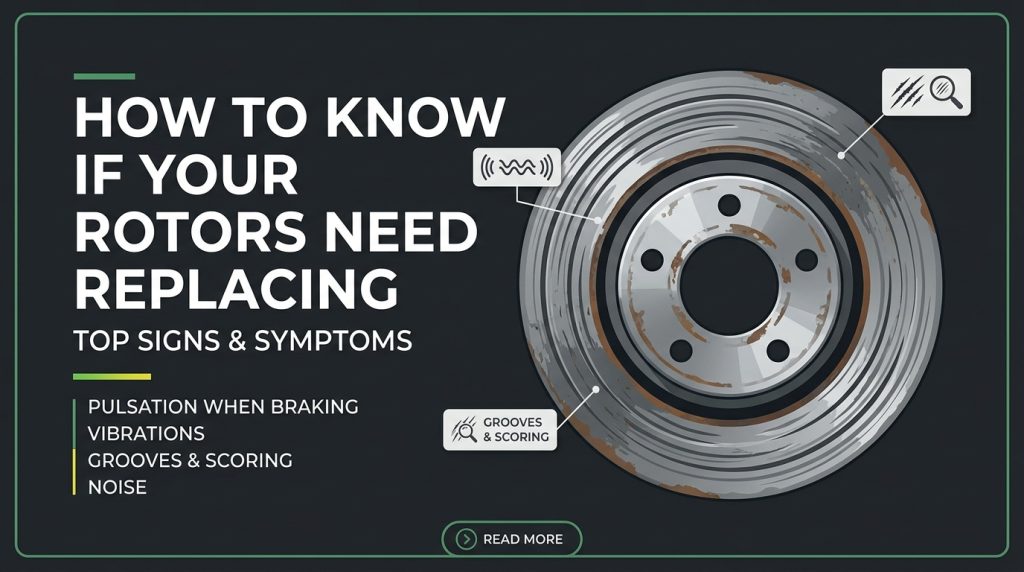
Most drivers think about their brakes when something goes wrong. The pedal vibrates. The steering wheel shudders. There’s a grinding noise that wasn’t there last month. By the time these symptoms appear, the rotors have often been in a declining condition for thousands of miles — and what could have been a straightforward pad replacement has become a more expensive pad-and-rotor job.
The good news is that rotors communicate their condition clearly, through sounds, sensations, and visual cues that any driver can learn to read. You don’t need a mechanic’s lift or specialized equipment to catch most rotor problems early — you need to know what to look and listen for.
This guide walks through every method for assessing rotor condition: the warning signs you’ll feel while driving, the sounds that tell you something is wrong, the visual checks you can do yourself in a parking lot, and the measurements that give you a definitive answer. By the end, you’ll know exactly when your rotors need replacing — and what to do about it.
👉 Shop Top-Rated Replacement Rotors on Amazon
What Rotors Actually Do (And Why They Wear Out)
To understand how rotors fail, it helps to understand what they’re doing every time you press the brake pedal. A brake rotor is a large iron disc that rotates with your wheel. When you brake, hydraulic pressure forces the brake pads against both faces of this spinning disc, creating friction that converts the vehicle’s kinetic energy into heat. That heat is what slows the car.
Every braking event puts thermal and mechanical stress on the rotor. The friction surface wears slightly with each pad contact. Heat causes the iron to expand and contract repeatedly through thousands of thermal cycles across the rotor’s service life. Moisture causes surface oxidation. Salt accelerates corrosion on the hat and edges. Over time — typically 50,000 to 70,000 miles for most rotors in normal use, less for performance driving or towing applications — these stresses accumulate to the point where the rotor can no longer perform safely or quietly.
The failure modes are predictable: surface wear that reduces thickness below safe minimums, surface irregularities that cause pedal pulsation, deep scoring from worn pads, and in more severe cases, cracking or heat distortion that compromises structural integrity.
The Warning Signs Your Rotors Need Replacing
1. Pulsating or Vibrating Brake Pedal
This is the most common and distinctive sign of rotor problems. If you feel a rhythmic pulsation in the brake pedal — a throbbing sensation that pulses in time with your wheel speed and gets faster or slower as the car accelerates or decelerates — your rotors have developed what’s commonly described as warping.
The technical explanation: the rotor surface has developed thickness variation — microscopic high and low spots distributed around the circumference. As the rotor spins and the pad makes contact, it alternately encounters slightly thicker and slightly thinner sections of the disc. Each thick section pushes the caliper piston back slightly, generating a pressure pulse through the hydraulic circuit that you feel in the pedal.
This is almost never caused by the rotor physically bending or warping under heat — modern cast iron is more thermally stable than the “warped rotor” description implies. What actually happens is uneven pad material transfer: brake pad compound deposited unevenly onto the rotor face during hard stops creates thickness variation that produces the same pulsation. The source is often poor bedding-in of new pads, single hard stops followed by parking with hot brakes, or simply worn-out pads that have deposited material inconsistently over a long service life.
Regardless of cause, the fix is the same: fresh rotors, properly matched with new pads and correctly bedded in.
👉 Shop Top-Rated Replacement Rotors on Amazon
2. Steering Wheel Vibration During Braking
A pedal that pulsates and a steering wheel that shudders during braking are related but slightly distinct symptoms. Pedal pulsation typically indicates a rotor thickness variation issue on either axle. Steering wheel vibration specifically during braking usually points to a front rotor problem — because the front wheels are mechanically connected to the steering through the suspension and steering rack, any irregular braking force at the front rotors translates directly into steering feedback.
If your steering wheel shakes noticeably when you press the brakes — particularly in a rhythmic pattern that corresponds to wheel speed — inspect the front rotors first. This symptom is also occasionally caused by a sticking front caliper that applies force unevenly, so verify caliper function alongside the rotor inspection.
3. Squealing or Squeaking
Brake squeal has several causes, and not all of them indicate rotor problems. New pad squeal during the first few hundred miles of break-in, cold-morning squeal from surface moisture that burns off within a few stops, and the high-pitched chirp from the wear indicator tab as pads near their minimum thickness are all pad-related. They don’t necessarily indicate rotor failure.
However, persistent, consistent squealing that doesn’t resolve with warm-up — particularly a metallic, grinding-edged squeal — often indicates a rotor surface condition issue. Heavily glazed rotors, rotors with hardened surface deposits from overheated pads, or rotors with significant scoring from worn pads all produce characteristic noise patterns that ceramic or semi-metallic pads can’t eliminate regardless of how new they are.
If you’ve recently installed fresh pads and still hear consistent squealing after the break-in period, the rotor surface is the likely culprit. Fresh pads on a damaged rotor surface simply adopt the irregularities of that surface — they can’t overcome them.
4. Grinding or Metal-on-Metal Sound
Grinding is a more urgent symptom than squealing. A harsh, gritty, metallic grinding sound during braking usually means one of two things: the brake pads have worn completely through their friction material and the steel backing plate is contacting the rotor directly, or debris has become lodged between the pad and rotor surface.
Either way, the rotor is being physically damaged with every revolution. Once the grinding begins, the rotor face is being scored and gouged in real time. What might have been a rotor that passed a thickness inspection the week before is rapidly being worn past the service limit. Continued driving on a grinding brake corner accelerates rotor damage exponentially and escalates the repair cost correspondingly.
If you hear grinding, inspect the affected corner immediately. In most cases, both pads and rotors on that corner will require replacement.
5. Pulling to One Side During Braking
A vehicle that tracks straight during normal driving but pulls to one side when the brakes are applied suggests a brake imbalance between the left and right sides of an axle. This is more commonly a caliper or pad issue than a rotor issue directly — a seized caliper piston or stuck slide pin causes one side to apply more force than the other. But heavily scored or corroded rotors on one side that have significantly different surface conditions than the opposite side can contribute to the same symptom.
Any brake pull warrants a full inspection of both sides of the affected axle — pads, rotors, and calipers — to identify the source of the imbalance before it worsens.
6. Longer Stopping Distances
This is the most safety-critical symptom and the most difficult for drivers to quantify precisely, because stopping distance degradation happens gradually over thousands of miles rather than suddenly. Drivers adapt unconsciously to slight increases in stopping distance, braking a little earlier without consciously registering that the car is stopping less sharply than it used to.
A few situations make this degradation obvious: driving a different vehicle with fresh brakes and noticing how sharp the response feels by comparison, braking hard in an unexpected situation and finding the car takes longer to stop than expected, or having a passenger who hasn’t driven the car recently comment on how the brakes feel.
If you suspect stopping distances have increased, find a quiet, straight road and make a few hard test stops from 40 mph, paying attention to pedal firmness, deceleration rate, and how far the car travels before stopping. Compare your subjective impression against what the car felt like when the brakes were fresh. Any meaningful degradation warrants an inspection.
How to Visually Inspect Your Rotors
A thorough visual inspection doesn’t require removing the wheel on most vehicles. Here’s how to do it in a parking lot with nothing but a flashlight:
Step 1 — Look through the wheel spokes. On most alloy wheel designs, the front of the rotor is partially visible through the spokes. Shine a flashlight at an angle across the rotor face and look for:
- Deep grooves or scoring: Parallel grooves running concentrically around the rotor face are a clear sign of worn pad material abrading the rotor surface, often from a pad that wore through to the backing plate. Any groove you can catch a fingernail in represents material loss that must be measured against the minimum thickness specification.
- Surface rust: A light layer of surface rust on a rotor that hasn’t been driven recently is normal and burns off within a few stops. Heavy, pitted rust — particularly the flaking rust you see on a car that’s been sitting for months — may have eaten into the rotor face significantly enough to affect brake performance and require replacement.
- Blue or purple discoloration: Heat tinting on the rotor face indicates the rotor has been overheated at some point. This can indicate glazing, hardened surface spots, or metallurgical changes to the iron that affect its wear characteristics. Light heat tinting isn’t automatically a failure, but heavy or widespread discoloration warrants closer inspection and measurement.
- Cracks: Hairline cracks radiating outward from the center or across the swept area are serious. Cast iron under repeated thermal stress can develop stress fractures, and a cracked rotor is a catastrophic failure risk under hard braking. Any visible cracking is an immediate replacement requirement.
Step 2 — Inspect the edge of the rotor. Look at the outer edge of the rotor swept area — the portion the pad doesn’t contact. You’ll see a raised ridge or lip where the pad hasn’t worn the surface. A significant lip at the edge indicates meaningful material has been worn from the braking surface. If the lip is deep enough to catch your fingernail firmly, the material loss is worth measuring.
Step 3 — Check the hat and vents for corrosion. The rotor hat — the center section that mounts to the hub — and the internal cooling vanes between the two rotor faces are susceptible to corrosion. Heavily rusted vanes reduce the rotor’s ability to dissipate heat, and a severely corroded hat can affect rotor runout (wobble) as the mounting surface deteriorates.
How to Measure Rotor Thickness
Visual inspection tells you a lot, but measurement gives you the definitive answer. Every rotor has a minimum thickness specification cast or stamped into the hat — a number like “MIN 22mm” or “DISCARD AT 20mm” that indicates the lowest safe operating thickness.
What you need: A digital micrometer (a vernier micrometer works but digital is faster and easier to read accurately).
How to do it:
Remove the wheel for full access to the rotor face. Clean any surface rust from the measurement points with a wire brush. Take measurements at 8–12 equally spaced points around the rotor’s swept area — not just at one spot. Rotor wear is rarely perfectly uniform, and a single measurement at one point can miss a thin spot that the pad contacts elsewhere.
Record all measurements and compare to the minimum thickness specification:
- All measurements above minimum: Rotor is within specification. Recheck at the next brake service interval.
- Any measurement at or below minimum: Replace the rotor. Do not attempt to machine (resurface) a rotor that’s already at or near minimum — the machine process removes additional material and puts it below safe limits.
- Significant variation between measurements (more than 0.5mm between high and low readings): Rotor has thickness variation that will cause pedal pulsation. Replacement recommended regardless of absolute thickness.
Note on rotor resurfacing: Many shops offer to machine (turn) rotors as a lower-cost alternative to replacement. Resurfacing removes material to eliminate surface irregularities and restore a flat friction surface. It’s only appropriate when the rotor has sufficient thickness remaining above the minimum to allow for material removal. If a rotor is already near minimum thickness, resurfacing puts it below the safe limit. When in doubt, replace.
When to Replace Both Rotors Simultaneously
Always replace rotors in pairs on the same axle. Replacing one rotor while leaving the original on the opposite side creates a braking imbalance — the new rotor and fresh pad will grab differently than the worn rotor with partially-worn pads on the other side. This imbalance causes the vehicle to pull under braking and accelerates uneven wear on the newer components.
Replacing rotors in pairs costs roughly twice as much as replacing one, but establishes a consistent wear baseline on both sides of the axle and ensures straight-line braking stability from day one.
You don’t necessarily need to replace front and rear rotors simultaneously. If the rears pass inspection and the fronts have reached end of life, replacing just the front pair is appropriate. Measure each axle independently and replace based on the condition of each pair.
The Best Time to Replace: Before the Minimum, Not At It
A common misconception is that rotors must be replaced exactly when they hit minimum thickness. The minimum thickness specification is actually the discard specification — the point at which the rotor is no longer safe to use at all. Braking performance begins declining meaningfully before the minimum is reached.
A rotor at 80% of minimum thickness is braking less effectively, managing heat less efficiently, and generating more noise than a fresh rotor. Proactive replacement — before the minimum is reached, when performance has noticeably declined — is better for safety, better for pad life, and avoids the scenario where a rotor fails inspection during a brake job you scheduled for pad replacement only, turning a $60 job into a $250 one.
The practical guideline: if a rotor is within 20% of its minimum thickness specification, budget for replacement at the next brake service rather than waiting for it to hit the limit.
Ready to Replace? Here’s a Top-Rated Option on Amazon
If your inspection confirms it’s time for new rotors — or if your mileage and symptoms suggest you’re close — replacing them promptly is the right call for your safety and your wallet.
👉 Shop Top-Rated Replacement Rotors on Amazon
This highly-rated rotor set delivers quality construction, precise OEM-spec dimensions, and fast Prime shipping — everything you need to get your braking system back to full performance without dealership pricing or a long wait for parts.
How to Make Your New Rotors Last
Once you’ve replaced your rotors, a few habits will extend the time before you need to do it again:
Bed the pads and rotors together. After installation, make 8–10 moderate stops from 35 mph with 30 seconds of cooling between each. This deposits an even layer of pad material on the rotor face and prevents the uneven deposits that cause early pulsation.
Avoid panic stops immediately after installation. During the first 200–300 miles, avoid emergency-level stops. The pad and rotor surfaces need time to fully mate and establish consistent contact across the full swept area before being subjected to extreme heat.
Don’t park with hot brakes. After spirited driving or any situation where the brakes have gotten hot, give the rotors a few minutes to cool before parking. Stopping and leaving the hot pad pressed against a stationary rotor spot-heats that contact point, creating uneven pad deposits that eventually produce pulsation.
Replace pads before they wear to metal. Metal-on-metal contact destroys a rotor faster than anything else. Catching pad wear early — at the squeal indicator stage rather than the grinding stage — is the single most effective way to protect rotor service life.
Final Thoughts
Rotors communicate their condition constantly — through the feel of the pedal, the behavior of the steering wheel, the sounds during braking, and the visual evidence visible through your wheel spokes. The more familiar you are with what healthy brakes feel like on your specific vehicle, the earlier you’ll catch the subtle early signs of rotor wear before they become urgent repair situations.
Check your rotors visually at every tire rotation. Measure thickness at every brake pad replacement. Replace promptly when symptoms appear or measurements approach the minimum specification. These simple habits keep your braking system performing safely and prevent the compounding costs that come from deferring brake maintenance.
👉 Shop Replacement Rotors on Amazon — Top-Rated, Fast Shipping
As an Amazon Associate, we earn from qualifying purchases. Prices and availability are subject to change.

Benjamin Grey is an automotive engineer and writer at Car Parts Advisor. With years of experience in the automotive industry, he shares expert advice on car parts, maintenance, and repairs to help car owners keep their vehicles running smoothly.